The client replied. The deposit cleared. The session ended.
Requests, payments, notes, photos, and follow-up history stay attached to the work instead of scattered across apps.
 Shop manager for tattoo artists & studios
Affichr is your shop manager in your pocket. Built by a tattooer, it catches the requests, deposits, drawings, reminders, cancellations, and follow-ups that disappear into the noise. You see what happened, what needs attention, and what comes next. You still decide what gets booked.
No card required. Create your account in the Affichr app and start your booking link setup.
Affichr keeps the loose ends visible without becoming your boss. It surfaces the situation. You make the call.
Requests, payments, notes, photos, and follow-up history stay attached to the work instead of scattered across apps.
Choose SMS, email, or app notifications. Make them gentle or intentionally annoying. Affichr repeats; you decide.
See the next useful move before it becomes another screenshot you forgot existed.
These are privacy-safe captures from the Affichr demo account—not invented customer results.
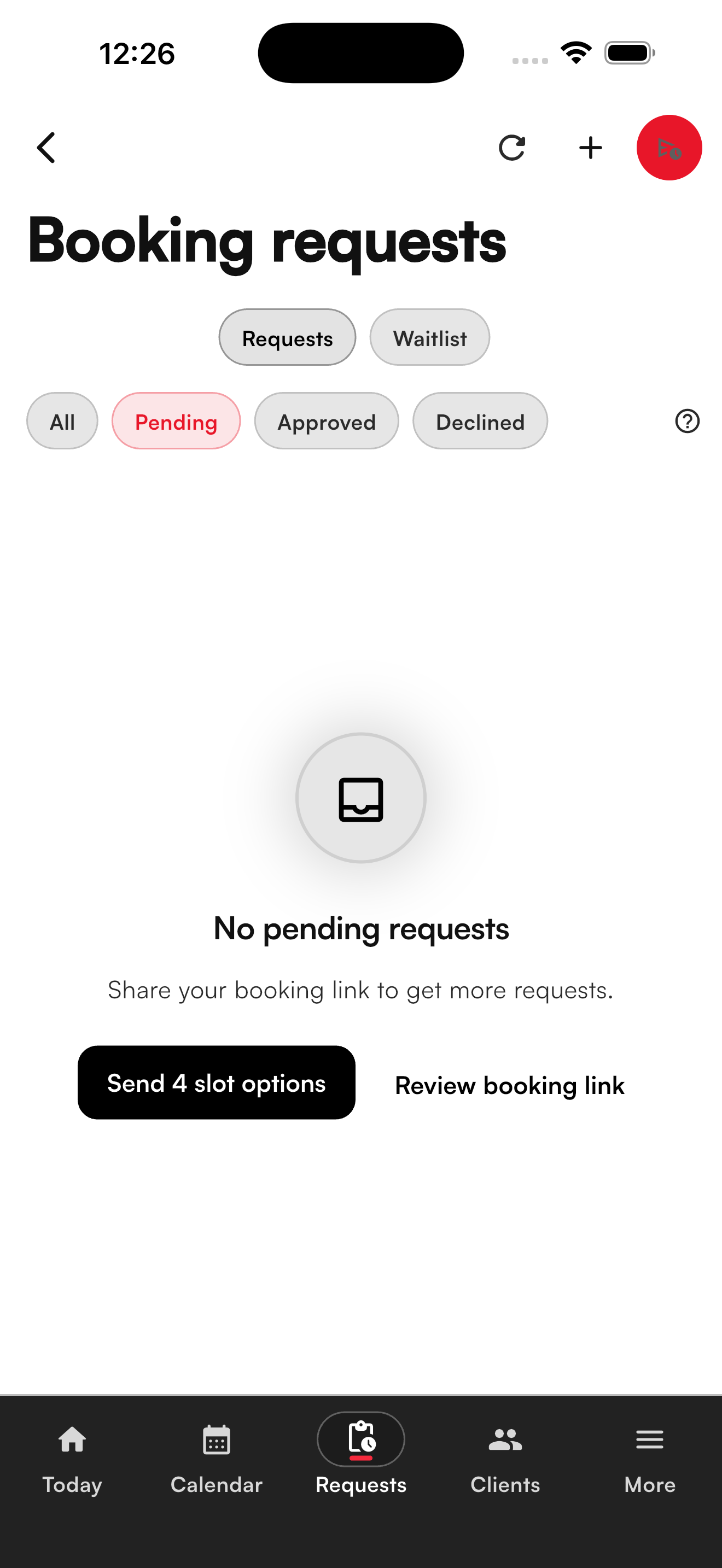
The request queue keeps the artist in charge and provides direct paths to the booking link and private slot offers.
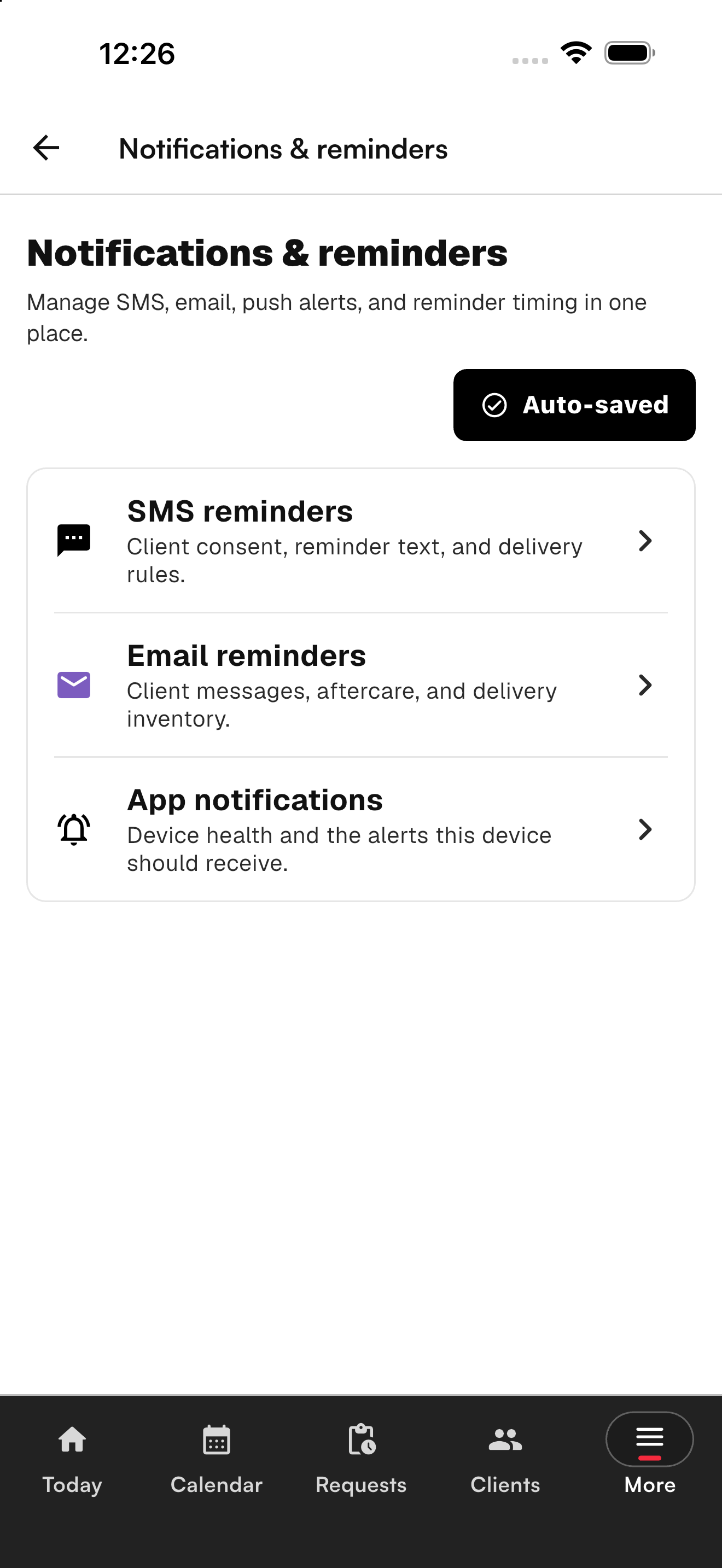
Artists choose the channels and timing. Affichr provides the attention backup without dictating the workflow.
Customer stories and measured outcomes will be added only after the participating tattooers approve the quote, context, and result.
See the idea, refs, placement, budget, and dates first.
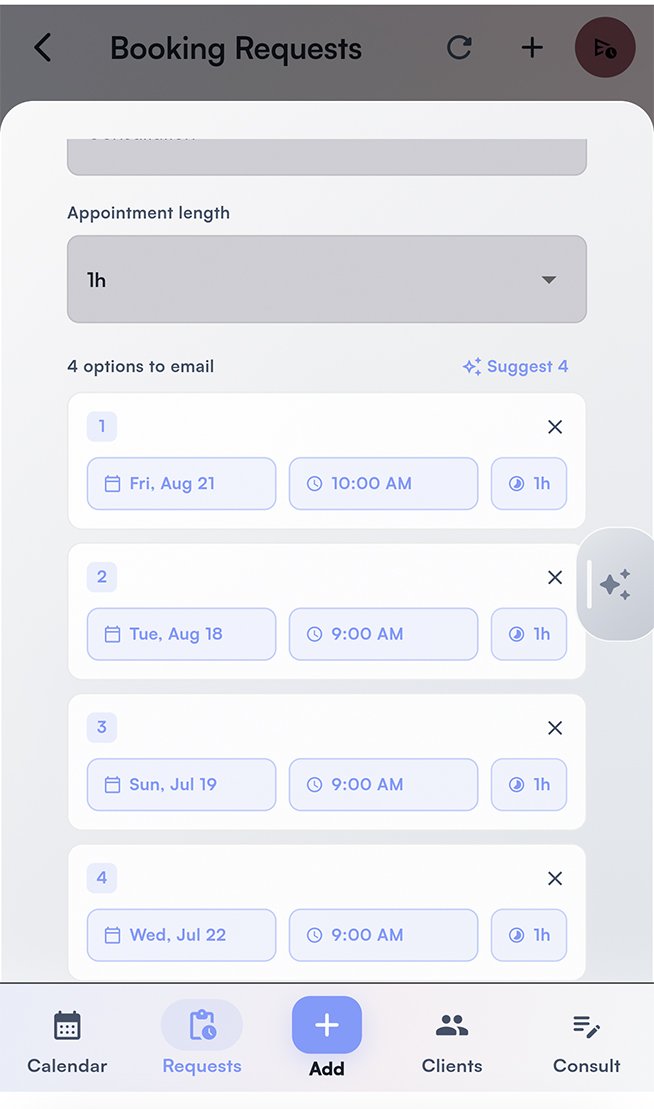
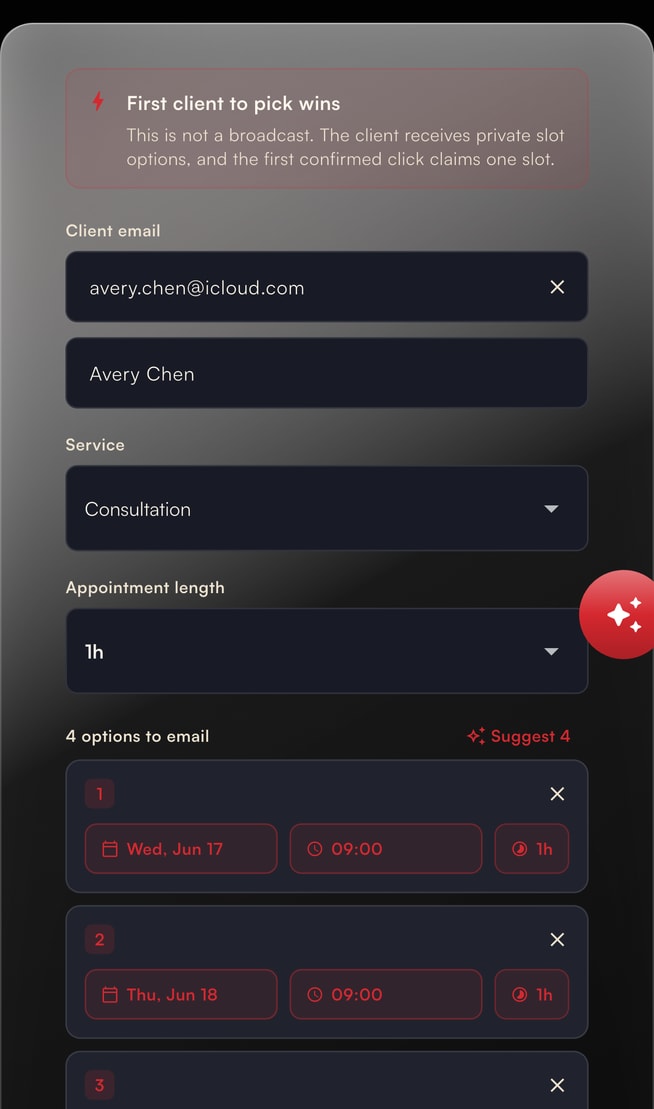
Offer four times. Clients choose from your windows.
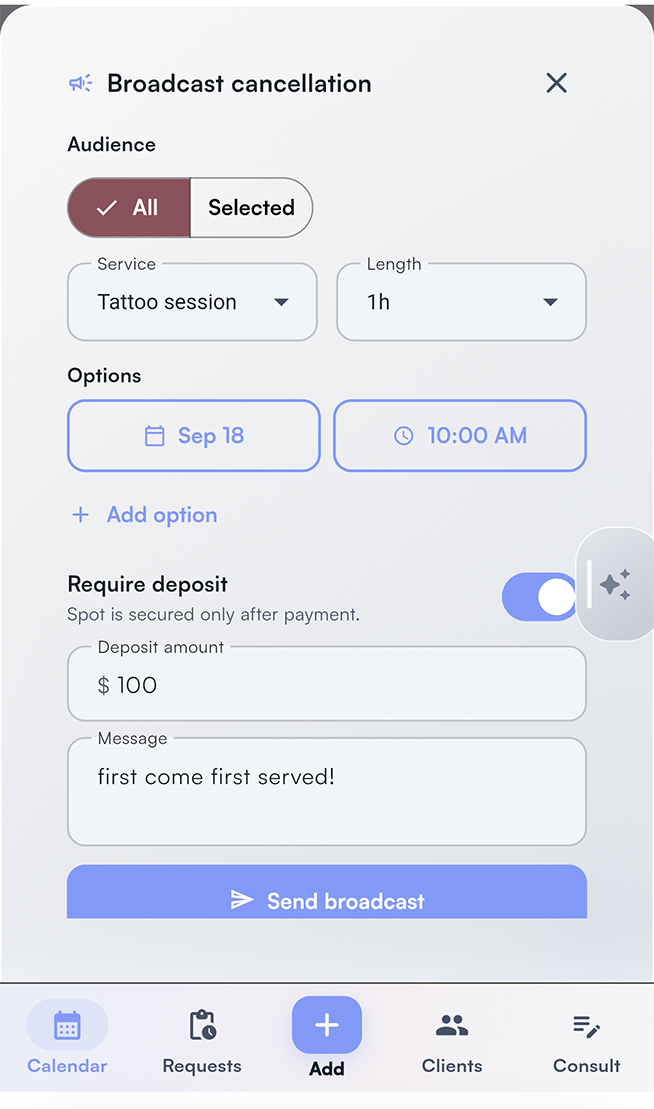
Offer a canceled opening to eligible clients whose timing matches.
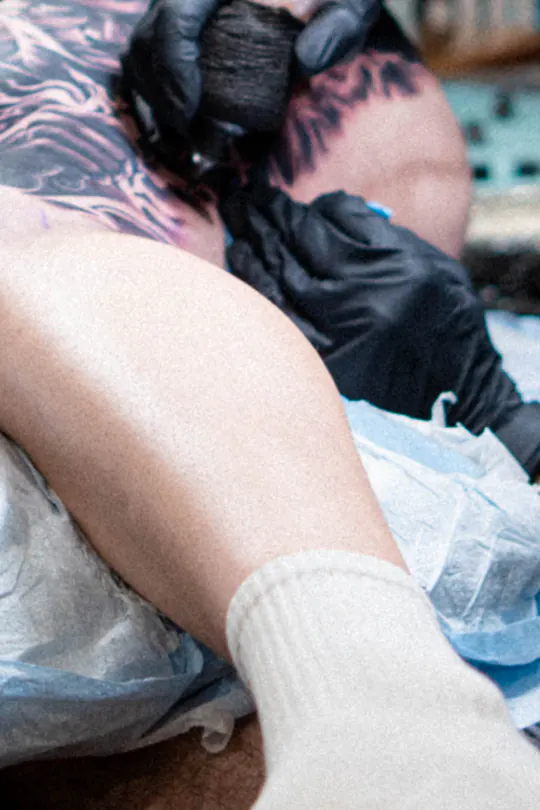
Requests arrive. Deposits wait. Drawings are due. Affichr keeps those loose ends visible around the session—without pretending software does the tattoo.
In the chair / off the calendarOld habits built the business. What costs you now is the admin around them: DMs that never turn into a date, no-shows that never paid a deposit, cancellations nobody hears about. Affichr adds the shop-manager layer paper cannot: cleaner requests, four slot offers, deposits, reminders, cancellation broadcasts, and client follow-up.
A simple loop around the way artists already work: request → review → 4 slots → deposit status → reminders → optional broadcast.
Idea, refs, placement, budget, preferred dates, and client context arrive together.
Accept, decline, or ask for more. Time is not held until the artist says so.
You choose the windows. The client picks from your options, not your whole schedule.
Stripe payment status stays tied to the booking. Your rules decide when the appointment becomes confirmed.
Email, SMS, or push reminders work while you are busy with the client in front of you.
Choose whether to broadcast an opening to eligible clients whose preferred timing matches.
Most booking tools can hold a time. Affichr handles the work around it: requests, four slot offers, deposits, reminders, cancellations, and client memory.
| Feature | Affichr | Square | Bookedin | Venue | Fresha |
|---|---|---|---|---|---|
| Request-first booking | ✓ | - | - | ✓ | - |
| Built-in agenda / calendar | ✓ | ✓ | ✓ | ✓ | ✓ |
| Send 4 curated slot options | ✓ | - | - | - | - |
| Cancellation broadcast | ✓ | - | - | - | - |
| Reusable client follow-up | ✓ | - | - | ✓ | - |
| Consultation client links | ✓ | - | - | - | - |
| Reference uploads | ✓ | - | - | ✓ | ✓ |
| Design approvals / signed links | ✓ | - | - | - | - |
| Google Calendar bidirectional sync | ✓ | ✓ | ✓ | - | ✓ |
Checks mean native or direct public support. Dashes mean missing, workaround-only, or not public. Compact comparison based on public feature pages reviewed June 4, 2026.
The Affichr blog explains the request-first booking pieces tattoo artists ask about before changing their setup: software features, booking forms, deposits, reminders, and cancellation broadcasts.
What a tattoo shop system should include before clients get calendar time.
The intake questions that help artists review fit before booking.
How shops can match open time to clients already waiting for the right slot.
From the first request to the last follow-up, here is what Affichr keeps together. The tattooer still reviews and confirms every booking.
Collect the whole project before a date enters the conversation.
Keep the date, deposit, and reminders attached to the same appointment.
Keep the useful history close before, during, and after the appointment.
Fill a loose window deliberately, or coordinate the whole shop.
Read-only operational help that surfaces the loose ends. You make every decision.
Stripe, Google Calendar, SMS, email, push, and AI features depend on plan, setup, authorization, and provider availability. The assistant cannot book, cancel, modify, or send anything; health answers and consultation or client notes stay outside its context.
Start free. Add the shop manager tools on Pro. Bring the whole shop on Studio.
50% off Pro yearly: $124.50 USD for year one with FTW. Renews at $249 USD/year after the promotion.
Free is a permanent plan. Starting the Pro trial does not schedule a charge. Affichr takes 0% commission on your deposit amount. Standard Stripe processing fees still apply to the underlying payment.
Privacy and security are wired in at the database layer, not a checkbox.
Postgres RLS helps enforce row-level access. Privileged server paths add separate authorization checks.
Design files are served via short-lived signed URLs. No public bucket links.
Google Calendar OAuth tokens are encrypted at rest with a server-side key.
Health answers stay out of AI context and use role-scoped access. Export and deletion workflows are available on request.
Affichr is built by a tattooer as a shop-manager layer around the way artists already book. Requests capture placement, style, references, budget, preferred dates, and client context before any time is held. The artist reviews first, offers up to 4 time slots, then confirms with deposits, reminders, and client memory tied to the booking.
Free includes a public booking page, reviewed booking requests, a client list, and email reminders. No card is required. Deposits, SMS or push reminders, and studio workflows are on paid plans.
No. Affichr takes 0% commission on your deposit amount. Stripe processing fees still apply to the underlying payment, the same way they would on any other Stripe checkout.
Yes. Affichr includes a calendar import wizard that handles iCal and CSV exports from common tools, with deduplication on import.
Yes. The Studio plan includes 4 artist seats, with extra seats available. Studios get a public studio booking page, artist invites, role-based access, and shared scheduling visibility.
No. Your paper agenda can stay the final word. Affichr handles what happens around it: complete requests, 4 slot offers, deposits, confirmations, reminders, cancellation broadcasts, and follow-up.
Not yet. Affichr is available on the web today, with native iOS and Android apps planned for the next release phase.
You can export your data before cancellation. After cancellation, data is removed after a grace period in line with our privacy policy and applicable data protection requirements.
Affichr is operated by Nima Jolan, a sole proprietorship based in Montréal, Québec, Canada. Contact info@affichr.com. For help with your account, visit Affichr Support.